
Introduction
Most business owners don’t need to learn web development. But they do need to understand enough to make good decisions – because right now, a lot of them are hiring
developers, approving budgets, and signing off on designs without knowing what any of it actually does.
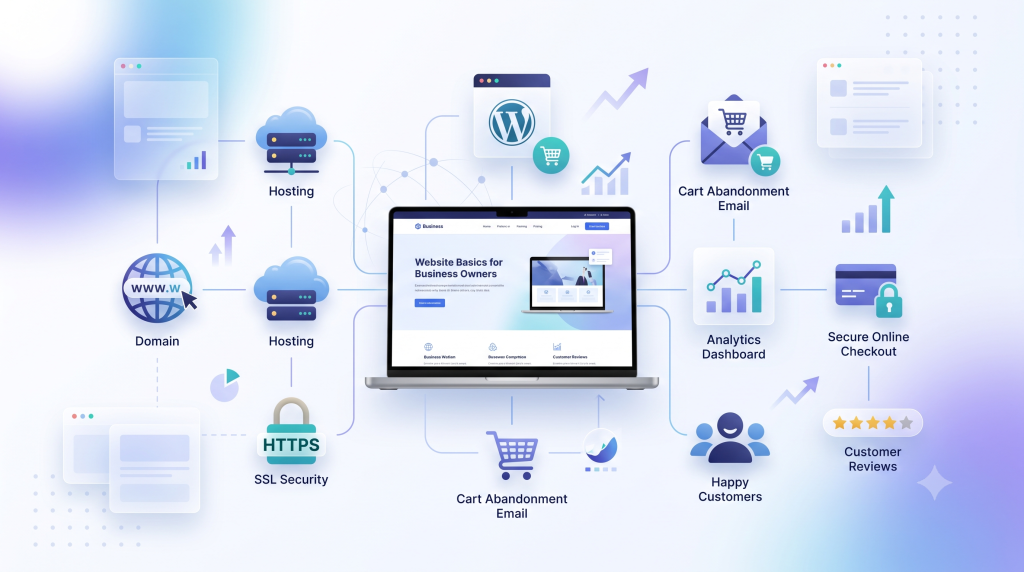
This guide covers the essentials: what a website is really for, the difference between a domain and hosting, how modern websites get built (without anyone writing code), how to turn a website into an online store, and the mistakes that quietly cost business owners sales. No jargon left unexplained.
Table of Contents
- What a Website Is Actually For
- Domain vs. Hosting: The Confusion That Costs Money
- How Modern Websites Get Built (Without Coding)
- The 5 Pages Every Business Website Needs
- Turning Your Website Into a 24 / 7 Salesperson
- The Silent Revenue Leak: Cart Abandonment
- Common Mistakes Business Owners Make
- DIY vs. Hiring a Professional
- Best Practices
- Expert Tips
- FAQs
- Key Takeaways
- Conclusion
1. What a Website Is Actually For
A website is a digital version of your shop, office, or storefront – except it’s open all day, every day, to anyone with an internet connection. Customers use it to browse what you offer, get information, understand the benefits, ask questions, and ultimately buy.
That’s five distinct steps: view, learn, evaluate, enquire, purchase. A website that only handles the first step (looking nice) but ignores the rest isn’t doing its job. Think of it less like a poster and more like a full sales funnel – every page should be quietly moving a visitor toward becoming a customer.
Business example: A freelance consultant’s homepage might show services (view), a clear explanation of what’s included (learn), testimonials (evaluate), a contact form (enquire), and a “Book a Call” button (purchase). Miss any one step, and visitors stall out.
Practical application: Before approving any website, walk through it as if you were a firsttime visitor. If you can’t complete all five steps in under two minutes, something’s missing.
2. Domain vs. Hosting: The Confusion That Costs Money
This is the single most common point of confusion for business owners, and it’s worth getting straight.
- A domain is your website’s address – the name people type in, like “.” Domains come in different extensions:.com for general business use, .org typically for organizations, .edu for education, and .gov for government bodies.
- Hosting is the actual storage space – a server – where your website’s files live. Without hosting, your domain just points to an empty lot.
You need both. A domain without hosting is an address with no building on it. Hosting without a domain means your website exists, but nobody has a memorable way to find it.
Choosing a good domain: Use the right extension for your business type (usually .com), keep it short, make it easy to type and remember, and avoid hyphens or numbers – they’re easy to mistype and hard to say out loud in conversation (“best hyphen cake hyphen shop” doesn’t roll off the tongue).
A note for Nepal-based business owners: Individuals and registered companies can apply for a free “.com.np” domain through the official . NP registration process, which requires supporting documents (citizenship/NID for individuals, or company registration and PAN documents for businesses) and a short approval window of a few business days. It’s a genuinely useful option if you’re just getting started and want to keep costs down.
Security note: Once your domain and hosting are connected, make sure an SSL certificate is active – this is what shows the padlock icon and “https://” in the browser bar. It encrypts data between your site and your visitors, and search engines rank sites without it lower. This isn’t optional in 2026; treat it as a baseline requirement.
3. How Modern Websites Get Built (Without Coding)
You don’t need a developer who writes code line-by-line to get a professional website anymore. Most small-to-medium business websites today are built on a content management system (CMS) – a platform that lets you (or your developer) manage content, design, and structure through a visual dashboard instead of raw code.
The most widely used CMS by far is WordPress – free, beginner-accessible, and SEO friendly by design. On top of WordPress, developers typically add:
- A page builder plugin that allows drag-and-drop visual design (arranging text, images, and buttons by clicking, not coding)
- A theme that sets the overall visual style – colors, layout, fonts – like a consistent skin applied across the whole site
This combination lets a site be built and updated relatively quickly, without needing custom code for every design change.
Why this matters to you as a business owner: If your developer is quoting a large amount of time and money for a “custom-coded” site, ask why a proven, flexible platform like this wouldn’t work instead. Custom code has its place for complex, unique functionality – but for most business websites, it’s overkill.
4. The 5 Pages Every Business Website Needs
At minimum, a functioning business website should include:
- Homepage – the first impression; tells visitors what you do in seconds
- Services (or Products) – what you offer
- About Us – who you are; this is where trust gets built
- Blog – articles that inform visitors and attract organic search traffic
- Contact – how customers reach you
Skipping any of these creates a gap in the customer journey. Businesses that skip “About Us,” for example, often struggle with trust – customers want to know who they’re buying from, not just what they’re buying.
5. Turning Your Website Into a 24/7 Salesperson
Beyond information, a well-built website generates revenue directly:
- Sales & Revenue: Customers can view products, get full details, and purchase – all without a phone call or store visit.
- Portfolio & Testimonials: Showing past work and customer feedback builds trust before a stranger ever contacts you.
- Two-way communication: Contact forms and messaging let customers reach you, and you respond – this back-and-forth builds relationships, not just transactions.
For businesses selling products directly, e-commerce functionality (built on top of the same WordPress foundation, via a free plugin) adds a shopping cart, checkout, order management, and customer records – effectively turning your site into an online store.
Business example: A bakery’s website with an e-commerce setup lets customers browse cakes, see prices, and order – instead of only calling to ask “do you have chocolate cake this week?”
6. The Silent Revenue Leak: Cart Abandonment
Here’s a detail most business owners never think about until it’s explained: customers regularly add items to an online cart and then leave without buying. This is called cart
abandonment, and it happens for all kinds of reasons – distraction, hesitation, a slow checkout process.
The fix is a built-in feature (available in most e-commerce plugins) that automatically sends a follow-up email to these customers – a simple reminder that something’s still waiting in their cart. It’s one of the highest-return features available, because these are customers who already showed real intent to buy.
Practical application: If you run an online store, confirm with whoever manages your site that cart abandonment emails are switched on. If they’re not sure what you’re asking, that’s worth flagging.
7. Common Mistakes Business Owners Make
- Confusing “published” with “findable.” A page can be live on the internet and still invisible to visitors if it’s never added to the site’s navigation menu. This trips up business owners constantly – the page technically exists, but nobody can find it through normal browsing.
- Treating the website as a one-time project. Content, security, and functionality all need occasional attention. A site that’s never updated slowly becomes less effective and, over time, more vulnerable.
- Skipping the “About Us” or “Contact” page. Both are trust-builders; skipping them makes visitors hesitant to commit.
- Not asking who owns the logins. Domain, hosting, and admin credentials should belong to the business owner – not exclusively to a freelancer or agency who built the site. Losing access to these can mean losing control of your own website.
- Ignoring site speed. Slow-loading pages (often from unoptimized images or videos that load all at once) frustrate visitors and get penalized in search rankings.
8. DIY vs. Hiring a Professional
Modern no-code tools mean small business owners genuinely can build a simple website themselves, especially with free themes and pre-built templates covering many industries (restaurants, service businesses, agencies, and more).
That said, DIY makes the most sense when:
- Your needs are straightforward (a handful of pages, no complex e-commerce)
- You have time to learn the basics and maintain it
- Budget is a bigger constraint than time
Hiring a professional makes more sense when:
- You’re running e-commerce with multiple products, categories, and payment complexity
- You need custom design or functionality beyond templates
- Your time is better spent running the business than learning a new platform
Either way, insist on owning your domain registration, hosting account, and admin logins regardless of who builds the site.
9. Best Practices
- Keep your domain name short, simple, and free of hyphens or numbers
- Set global colors and fonts once so your whole site stays visually consistent, instead of manually restyling every page
- Add every new page to your site’s navigation menu immediately after publishing it
- Turn on cart abandonment recovery if you sell anything online
- Keep a full backup/export of your website – useful both for switching hosting and for disaster recovery
10. Expert Tips
- Starter templates (pre-built, professionally designed page kits for specific industries) are a legitimate shortcut – even experienced designers use them to save time, not just beginners.
- If your site needs a “coming soon” page or a one-page layout with a scrolling menu (Home, About, Services, Contact all on one page), that’s achieved through internal page anchors, not separate pages – a much lighter build than a multi-page site.
- If you ever migrate your website to a new domain or hosting provider, be aware that a full site migration also transfers admin login credentials – the destination account’s login will be replaced by the original site’s login. Keep your original credentials safe before any migration.
FAQs
Do I need both a domain and hosting?
Yes. A domain is your address; hosting is the storage space that makes your site actually live. Neither works without the other.
How long does it take to get a free local domain approved?
Typically a few business days, since a person manually reviews the submitted documents.
Is WordPress good enough for a serious business, or do I need something custom?
For the vast majority of small and medium businesses, WordPress (with a page builder and theme) is more than sufficient – it powers a huge share of business websites worldwide.
What’s the difference between a theme and a plugin?
A theme controls your site’s overall visual style. A plugin adds specific functionality—like e-commerce, spam protection, or a page builder.
Why isn’t my published page showing up on my website?
It’s likely published but not added to your navigation menu – these are two separate steps.
Key Takeaways
- A website is a five-step sales funnel: view, learn, evaluate, enquire, purchase – not just a digital poster
- Domain (address) and hosting (storage) are two separate purchases you both need
- Modern websites are typically built on WordPress with a page builder and theme – no custom code required for most businesses
- Publishing a page and making it findable via your menu are two different steps
- Cart abandonment recovery emails are a low-effort, high-return feature for any online store
- Always retain ownership of your domain, hosting, and admin login credentials
Conclusion
You don’t need to become a web developer to make good decisions about your website. You just need to understand what you’re buying, what questions to ask, and where the common traps are. Get the foundation right – the right domain and hosting relationship, a site structured around the customer journey, and basic e-commerce essentials like cart recovery – and your website stops being a cost center and starts working like the salesperson it was always meant to be.
If you’re not sure whether your current website is actually built to convert – or you’re starting from scratch – let’s talk through what your business actually needs before you spend a dollar on design.